
Skate 3 on RPCS3 vs the native recomp: PS3 emulator settings and patches, Xbox 360 port trade-offs, netplay, and which route to pick in 2026.
Skate 3 RPCS3 vs Recomp: Two Ways to Play Skate 3 on PC
Skate 3 reaches the PC in 2026 by two main roads: RPCS3, the PlayStation 3 emulator that runs the PS3 version of the game, and Skate 3 recomp, the native recompilation of the Xbox 360 version that runs without an emulator at all. The native port is faster and simpler once installed; the emulator is the only route that touches the original online modes, through community servers. This page compares both, as of recomp v2.0.2 (July 24, 2026) and the current RPCS3 netplay table.
Neither route includes the game: the emulator needs your own PS3 copy, the recomp your own Xbox 360 disc image. And for completeness, a third family exists — browser builds of the community Rust engine that need no game files at all, covered at the end.
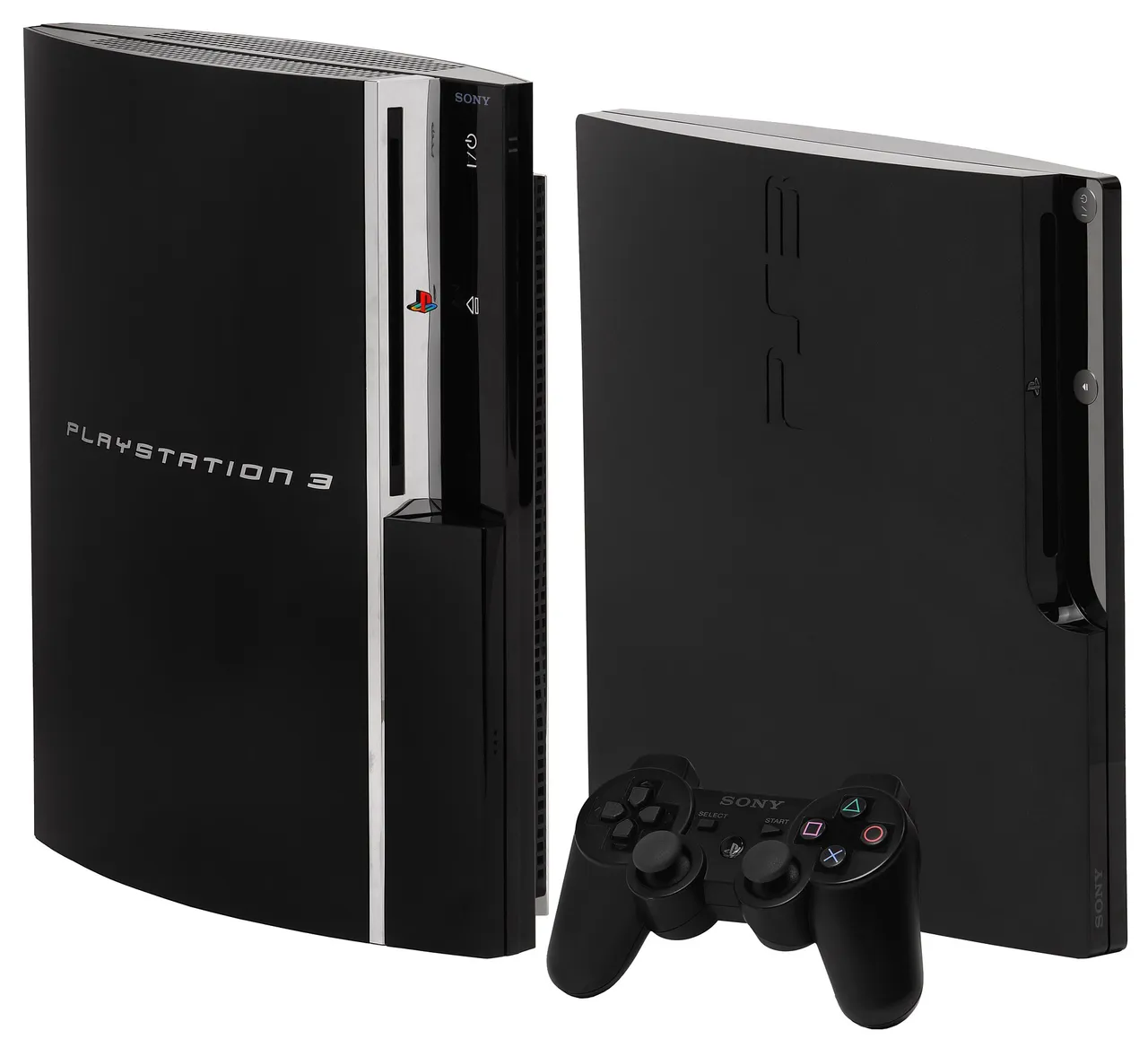
Photo: Evan-Amos, Wikimedia Commons, public domain. The original PS3 hardware — the machine whose game the emulator runs.
Official source: Skate 3 on the RPCS3 wiki — compatibility notes, the netplay table, and the community patch list this page cites all live there.
The Head-to-Head Table
| RPCS3 (PS3 emulation) | Skate 3 recomp (native port) | |
|---|---|---|
| Source version | PS3 release (BLUS30464 / BLES00760 / BLJM60296) | Xbox 360 release, recompiled |
| How it runs | Emulates the PS3 CPU and GPU | PowerPC code translated to native C++ ahead of time |
| What you supply | Your own PS3 copy of Skate 3 | Your own Xbox 360 disc image (ISO) |
| Performance | Emulation overhead; settings-dependent | Native renderer since v2.0: D3D12/Vulkan, over 2x the frame rate at about a quarter of the GPU power (author figures) |
| Enhancements | Community patches: 60 FPS force, moon gravity, no fall damage, no blur, aspect ratio | Built-in: MSAA 8x, render scale 3x, soft shadows, AO, bloom, volumetrics, ultrawide |
| Online | Partial via community custom servers (netplay table) | None upstream — single-player only |
| Install effort | Full emulator setup: firmware, game dump, per-game settings | Download, Select ISO, extract, Start Game |
| Best for | Touching the original online, tinkerers | Playing the campaign smoothly on any modern PC |
The one-line version: recomp for playing, RPCS3 for online. The recomp's native renderer does not emulate the Xbox 360 GPU at all anymore, which is why its performance profile looks nothing like an emulator's.
The RPCS3 Route: Setup Realities
Running Skate 3 on RPCS3 means the standard emulator checklist: the PS3 firmware installed in RPCS3, a dump of your own PS3 copy, and per-game settings — the community's shared baseline for Skate 3 is documented in threads like the r/skate3 optimal-settings post, which lands on RSX FIFO Accuracy: Atomic, Driver Wake-up delay: 100us, Vblank frequency: 120Hz, and Vblank NTSC fix-up ON. Treat those as a starting point from player experience, not an official spec; RPCS3 versions move and settings age.
The PS3 version's own quirks are part of the route. Its original resolution was 1152x640; a canary patch raises it to 1280x720 with the trade-off that shadows break. An aspect-ratio patch supports 16:10 through 32:9 displays but requires "Stretch To Display Area" checked in the GPU settings, and certain 2D elements stretch with it.
The wiki's netplay table records specific RPCS3 builds against specific game versions (1.05 NA/EU, 1.00 JP). When you update the emulator, re-check the wiki page — patches and compatibility notes are version-pinned, and a stale guide is the usual cause of "the patch does nothing."
The Patch Set: What RPCS3 Players Actually Toggle
The RPCS3 wiki patch list for Skate 3 is short and concrete:
| Patch | Author | Effect | Caveat |
|---|---|---|---|
| 60 FPS | illusion | Forces 60 FPS in all modes | The game was tuned for 30; physics edge cases possible |
| Moon Gravity | Aphelion | Low gravity; airborne too long triggers respawn | A toy, not a fix |
| No Fall Damage | Aphelion | Only works on the board; extreme heights can still bail | Stated in the patch notes themselves |
| No Blur | tuukkas | Removes the game's blur effect | Cosmetic |
| Aspect Ratio | tuukkas | 16:10 up to 32:9 support | Needs "Stretch To Display Area"; some 2D elements stretch |
| 1280x720 | Margen67 (canary) | Raises original 1152x640 | Breaks shadows |
That is the honest size of it — a handful of gameplay and video patches, not a mod platform. Community cheat menus exist for the emulated version too, but the maintained, documented surface is this patch list.
The Netplay Question, Answered Properly
This is where the two routes genuinely differ. The wiki's netplay table for Skate 3 reads: connections work, creating and joining lobbies work, matching with others works, online features are partial, and custom servers are required. The custom-server mechanism redirects the game's EA hostnames (the wiki lists one community setup with the exact hosts-file entries), and the skatemods FAQ points to the community Blaze server restoring matchmaking. The skatemods Skate 3 online page is the maintained entry point for that world.
Upstream recomp, by contrast, documents no networking at all — no lobbies, no LAN, no online. Its multiplayer story lives in the separate SK8-Engine fork, still in development. The full comparison of every multiplayer option, including the browser build with 10-player rooms, is in the recomp multiplayer guide.
Which One Should You Pick
Honest scenarios, no hedging:
| Your situation | Pick | Why |
|---|---|---|
| "I want to play the Skate 3 campaign on my PC" | Recomp | Two-minute install from your own ISO; native renderer; no emulator stack |
| "I want online sessions with people" | RPCS3 + community servers — or the browser build | Only the emulator route reaches the original online; the browser build is multiplayer without any game files |
| "My PC is old" | Recomp | The native renderer's efficiency is the whole point; emulation overhead is gone |
| "I like tinkering with settings and patches" | RPCS3 | The patch list and settings culture are the fun part |
| "I want to mod a living game instead" | ReSkate | A real mod platform with 465+ packages — but it mods the new free skate., not Skate 3 |
Recomp plays the Xbox 360 game natively, RPCS3 emulates the PS3 game with community servers, and ReSkate mods EA's new free-to-play skate. — three different games, three different installs, zero shared files.
If this page's conclusion is "I'll try recomp first," the practical next steps are the recomp mods guide for DLC and maps, and the recomp Steam Deck guide if a handheld is the destination. And if the real goal turns out to be modding the current game, everything starts at what ReSkate is.
FAQ
Is Skate 3 on RPCS3 playable in 2026? Yes, with the usual emulator caveats: it needs your own PS3 copy, the community's shared settings as a baseline, and awareness of the PS3 version's quirks (1152x640 original resolution, patches to modernize it). The wiki's compatibility and netplay tables are the current state of record.
Which is better, RPCS3 or recomp? For single-player on modern hardware, recomp — it is native, faster, and simpler. For the original online modes, RPCS3 with community custom servers, since upstream recomp has no networking at all. They coexist fine on one PC.
Does Skate 3 work on Xenia (the Xbox 360 emulator)? The recomp made that route largely irrelevant for Skate 3: a native port beats emulating the same console. The skatemods guides track the emulator question directly if you are curious, but the maintained PC routes are recomp and RPCS3.
Can the two installs coexist? Yes. They are separate programs reading your separate game dumps, living in separate folders. Nothing about installing one affects the other.
Do the RPCS3 patches give me cheats? The documented ones adjust gameplay (moon gravity, no fall damage) and video (60 FPS, no blur, aspect ratio). For the classic menu cheat codes — zombie mode, miniskaters, hoverboards — that is the original game's own Extras menu, covered in the cheat codes explainer.
Related
More ReSkate Guides
Skate 3 recomp on Steam Deck: native Linux build vs Proton, install steps, the settings worth changing, and controller facts, as of v2.0.2.
What Skate 3 recomp can actually load: the DLC folder rule, community maps through the Level Loader, SK8-Engine, and the v2.0 renderer enhancements.
Skate 3 recomp has no online multiplayer: what the README says, the state of Skate 3 servers, and the four ways people actually skate together in 2026.
Skate 3 save editors explained: what these community tools change, which platforms they cover, and the corruption risks to weigh before you edit a save.
Skate 3 save files across PS3, Xbox 360, RPCS3 and the PC port: where each one is stored, how to copy a save, and what a 100 percent save file does.
Skate 4 vs Skate 3 for PC players: what carried over, what the new game left out, and the mods that bring Skate 3 maps, realism and Hall of Meat back.
About re-skate.wiki: independent unofficial ReSkate fan site statement, sourcing and version policy, disclaimer, and contact notes.
skate. Proximity Chat is live as an opt-in soft launch from November 9, 2026. How to enable it, where it works, and what EA has not said yet.