
Where the skate 4 save file lives when you play through ReSkate, how to back up or delete a profile, and why online progress never lands in a local file.
Skate 4 Save File: Location, Backup and Reset
Short answer: the official skate. has no single save file you can copy, because your progression lives on EA's servers tied to your EA Account — the only local folder Windows keeps is %LOCALAPPDATA%\Skate\, which holds settings and whatever small local data the game writes. If you play through ReSkate, the offline profile (skater, outfits, unlocks, parks) is a real local folder: %LOCALAPPDATA%\ReSkate\profiles\offline\. Back it up by copying the folder; reset by moving it away.
Three things to keep straight before touching any folder:
- "skate 4" is skate. — EA's free-to-play live game, in Early Access since September 16, 2025 on PC, PS4, PS5, Xbox One and Xbox Series X|S.
- Your EA Account is the save file. Unlocks, cosmetics and San Van Bucks follow the account, not the machine.
- ReSkate saves are different. ReSkate is a third-party open-source mod platform that runs the game offline; its profile folder is local, yours to copy and delete.
Everything version-specific below reflects the ReSkate README on main and the v2.0.7 release (October 12, 2026), the newest tag on the Releases page when checked October 14, 2026. This site is an independent unofficial fan wiki with no affiliation to EA, Full Circle, Dingo-Shenanigans or Thunderstore.
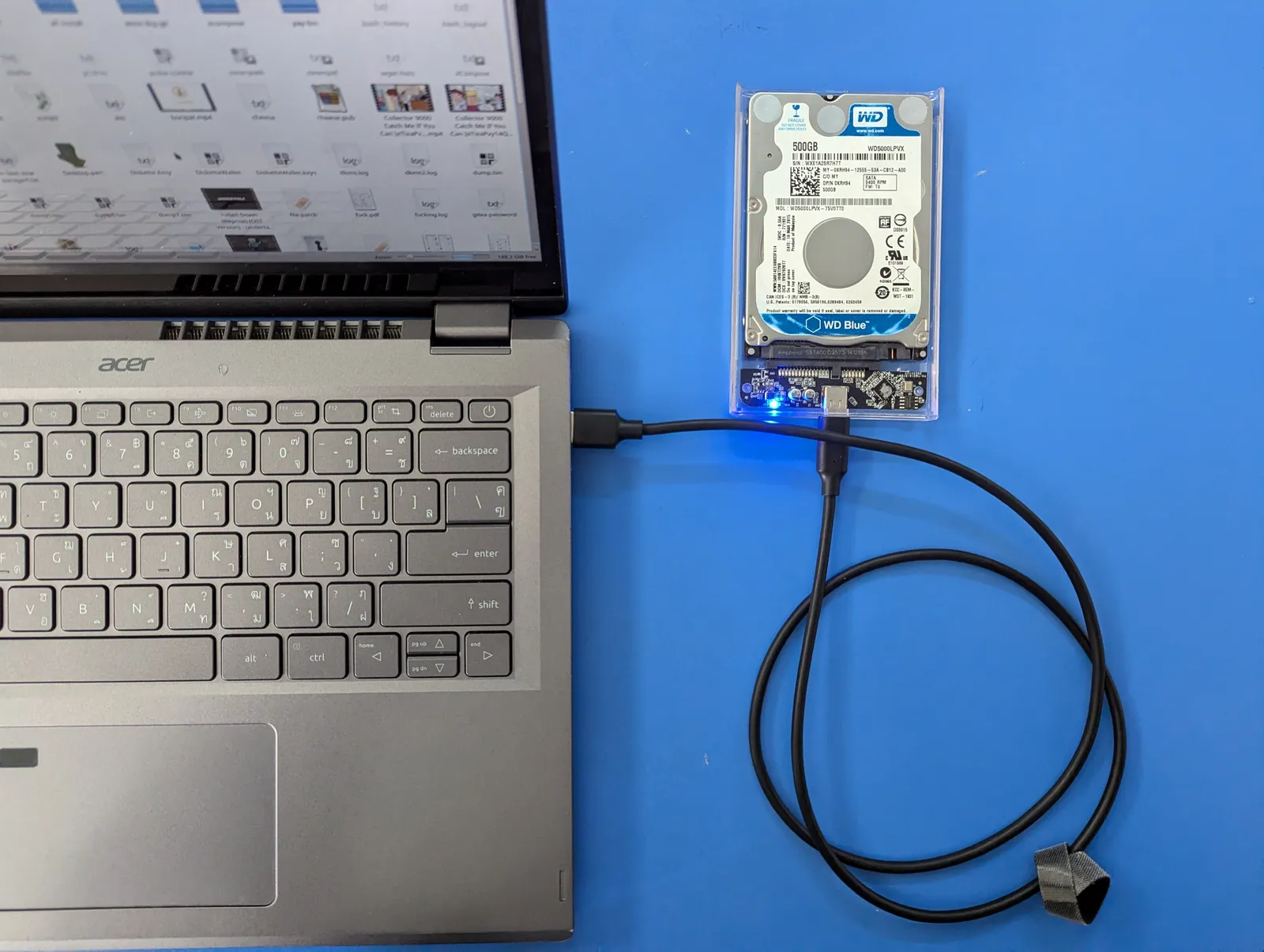
Any drive works as a backup target — the ReSkate profile folder is small enough to copy anywhere.
Where the Official Game Keeps Your Progress
EA built skate. as an always-online game. The official FAQ answers the offline question with no hedging:
Official source: skate. FAQ (Electronic Arts) — "Will skate. have offline mode? The simple answer: No. The game and city are designed to be a living, breathing massively multiplayer skateboarding sandbox that is always online and always evolving." The same page describes skate. as a "massive-multiplayer skateboarding sandbox ... featuring cross-progression and cross-platform gameplay."
Because progression is cross-progression, it is account-side. There is no offline campaign save to export, and reinstalling the game, clearing local files or switching PCs changes nothing — you log into the same EA Account and everything is where you left it. EA's own troubleshooting for missing content leans on exactly this: restart, then check which EA Account you are signed into, because "if your content has been sent to the wrong EA Account, we can't transfer it."
What does exist locally on Windows is small. The community-maintained PCGamingWiki entry for skate. lists %LOCALAPPDATA%\Skate\ as both the configuration file location and the save game data location (checked October 14, 2026), and flags the game as always-online on EA app, Epic Games Store and Steam alike. Think of that folder as local settings, not your career. The Steam store page for skate. does not list Steam Cloud among its game features (checked October 14, 2026) either — your EA Account is the sync mechanism.
Console players get the same model through system menus: PS5 save data under Settings → Storage → Saved Data, Xbox under Manage game & add-ons → Saved data. Those files hold console-side data; the unlocks still belong to the EA Account you sign in with.
| What you want to keep | Where it actually lives | Copyable? |
|---|---|---|
| Level, unlocks, cosmetics, San Van Bucks | EA servers, tied to your EA Account | No — account-side |
| Local settings (graphics, controls, audio) | %LOCALAPPDATA%\Skate\ (Windows) |
Yes, but only settings |
| Console-side data and settings | PS5/Xbox system save-data menus | Yes, but not progression |
| ReSkate offline profile | %LOCALAPPDATA%\ReSkate\profiles\offline\ |
Yes — the real local save |
Where the ReSkate Save File Lives
ReSkate flips the model: your skater, outfits, unlocks and progress are written to your PC, and the game runs even with Steam closed. The README's "Where things are" table is the authoritative map (checked October 14, 2026):
Official source: ReSkate README — "Where things are" — Profile (skater, progress, parks) at
%LOCALAPPDATA%\ReSkate\profiles\offline\; the game's own settings and saves at%LOCALAPPDATA%\ReSkate\Game\"kept apart from the normal game"; launcher settings inReSkateLauncher.settings.jsonbeside the launcher; logs atlogs\ReSkate.log; mods inMods\<mod name>\besideSkate.exe, ordered byMods\mods.json.
Each entry does a different job:
| Path (Windows) | What's inside | Worth backing up? |
|---|---|---|
%LOCALAPPDATA%\ReSkate\profiles\offline\ |
Your offline profile: skater, unlocks, progress, parks | Yes — this is the save |
%LOCALAPPDATA%\ReSkate\Game\ |
The game's own settings and saves, isolated from the official install | Optional — settings only |
ReSkateLauncher.settings.json |
Launcher preferences, next to ReSkateLauncher.exe |
Optional — small file |
logs\ReSkate.log |
Session log next to Skate.exe |
No — diagnostics only |
Mods\ beside Skate.exe |
Installed mods, order in Mods\mods.json |
Reinstall instead |
Two details worth internalizing. "Kept apart from the normal game" is literal: ReSkate's copies sit in their own folders, so a ReSkate reset never touches the official install's local files, and vice versa. And park layouts you build in the Park Editor are saved with your profile — the same folder carries them.
Proton users on Steam Deck and Linux play through a compatdata prefix (steamapps/compatdata/3354750/pfx/ per the PCGamingWiki entry). Under that prefix, the same %LOCALAPPDATA%\ReSkate\ structure sits inside drive_c/users/, so back up the prefix rather than hunting a Windows-style path. Setup details are in the Steam Deck and Linux guide.
How to Back Up Your Save
Backing up a ReSkate profile takes about a minute. Copy files while the game and launcher are closed, or you are backing up whatever was half-written.
- Close the game and the launcher. Check the tray for
ReSkateLauncher.exe. - Open
%LOCALAPPDATA%. Press Win+R, paste%LOCALAPPDATA%\ReSkate, press Enter. - Copy what you want to keep. At minimum
profiles\offline\. AddGame\for the settings inside it, and grabReSkateLauncher.settings.jsonfrom the launcher's own folder if you want those preferences too. - Zip it with the date in the name. Something like
skate-reskate-save-2026-10-14.zipon any drive — internal, USB or cloud storage. - Test the restore once. A backup you have never restored is a guess.
ReSkate ships updates fast and only supports one game build at a time. Two minutes of copying profiles\offline\ before a new ReSkate-<version>.zip goes in is the cheapest insurance against a bad merge or an antivirus sweep.
What a profile backup does not cover: your installed mods (reinstall them from the Thunderstore community — mod sets saved in the launcher's MODS page export separately as codes or .r2z files, which are mod lists, not saves), and anything on your EA Account. For the official game, copying %LOCALAPPDATA%\Skate\ preserves settings only; there is no local file that carries your unlocks, because there never was one. Installing ReSkate from scratch is covered in the install guide.
How to Reset or Delete Your Save
A ReSkate reset is a folder operation, no uninstaller required. The safe version is a move, not a delete:
- Close the game and launcher.
- Rename
profiles\offline\to something likeoffline.bak. A fresh profile generates on the next launch, and renaming means instant rollback if you change your mind. - Want a cleaner slate? Rename
%LOCALAPPDATA%\ReSkate\Game\the same way — that resets the game's own settings ReSkate keeps apart from the official install. - Leave
Mods\alone. Mods live besideSkate.exeand have nothing to do with your profile; deleting them is a separate decision.
Layouts you saved in the Park Editor travel with profiles\offline\. Moving that folder away wipes them with everything else, and there is no recycle bin inside the game. Export or share park layouts you care about before resetting.
A ReSkate reset touches nothing else: not your EA Account, not the official game's local files, not your mods. If the goal is a fresh start on the official game instead, deleting local files will not do it — progression is account-side, so a real reset would mean a new EA Account, and EA states plainly that content sent to the wrong account cannot be transferred. Missing unlocks usually have a tamer explanation; see the table below first. General crash and launch symptoms live in the errors guide.
When the Save File Looks Broken
Most save-file panic resolves to a handful of causes — work down the table before deleting folders:
| Symptom | Likely cause | Fix |
|---|---|---|
| Skater shows as "Unknown Player", multiplayer missing | Steam closed or not logged in | Open Steam, log in, relaunch (offline mode guide) |
| Profile loads as a blank new skater | profiles\offline\ missing, renamed or emptied (or quarantined by antivirus) |
Check the folder exists and still has files; restore your dated zip if not |
| Unlocks missing on the official game | Signed into the wrong EA Account, or servers down | EA's steps: restart, check which account you are on, check the EA server status page |
| Settings keep reverting | ReSkateLauncher.settings.json or Game\ folder being rewritten or blocked |
Close the game, restore those files from backup, exclude the ReSkate folders in antivirus |
| Launcher or game vanishes after a scan | Antivirus false positive on the injector | Restore from quarantine and exclude the folder — full walkthrough in the safety guide |
| Black screen after loading a custom map, then joining a server | Known issue #31 | Load the server's map first, then join |
One more trap: do not download skate 4 save files from random file-hosting sites. Unlocks live on EA's account servers, so a stranger's save cannot grant them to you on the official game — the download has no legitimate use, and executables dressed up as saves are a classic malware vector. The files that legitimately get shared in this ecosystem are Thunderstore mod packages and launcher mod-profile codes: mods, not progression. If your own content really is missing on the official game, EA support is the channel — with proof of purchase for anything bought.
FAQ
Where is the skate 4 save file on PC?
It depends on how you play. Through ReSkate, your offline profile is at %LOCALAPPDATA%\ReSkate\profiles\offline\ — a real, copyable save. On the official game, local settings sit in %LOCALAPPDATA%\Skate\, but your progression is stored on EA's servers under your EA Account, so there is no save file to copy.
How do I delete my skate 4 save file and start fresh?
Close the game and launcher, then rename %LOCALAPPDATA%\ReSkate\profiles\offline\ to something else (or delete it if you are sure). A new profile generates on next launch. To also reset ReSkate's separate settings store, do the same to %LOCALAPPDATA%\ReSkate\Game\. Renaming beats deleting because you can rename it back.
Can I download a 100% save file for skate 4? No legitimate one exists. Progression is account-side in the official game, so a downloaded save cannot add unlocks to your account, and unknown files from file hosts are a standard malware risk. Restore your own ReSkate backup instead.
Does skate. support Steam Cloud saves? The Steam store page for skate. does not list Steam Cloud as a game feature (checked October 14, 2026). Progression rides on your EA Account anyway. ReSkate profiles are plain local folders; sync them yourself with the steps above.
I lost my stuff in skate. — can EA restore it? Sometimes — if it is an account or server problem rather than a deletion. EA's troubleshooting: restart, verify which EA Account you are signed into, check server status, then contact support with proof of purchase after 24 hours. EA cannot move content between accounts.
Does deleting my ReSkate profile affect my EA account? No. ReSkate never touches EA servers or your EA Account — it blocks the game's own telemetry and remote configuration. Deleting the profile only erases the local offline skater, progress and parks.
Related Guides
- ReSkate Offline Mode: How It Works and Its Limits — why your ReSkate profile is local while the official game is always online.
- How to Get ReSkate on PC: Official Download and Install — the launcher install flow these save folders belong to.
- Is ReSkate Safe? Bans, Antivirus and Trust Guide — antivirus sweeps are a real way save folders disappear.
- ReSkate Not Working? Crash and Error Fixes — symptom table for launch and loading failures.
- ReSkate Mods Install Walkthrough — what actually gets shared in this ecosystem: mods and mod-profile codes, not saves.
More ReSkate Guides
Skate 4 keyboard and mouse support explained: what the game officially expects, the Steam Input workaround players use, and what still needs a controller.
The real state of skate 4 mods on PC: the kinds that exist, where the community publishes them, why consoles are left out, and which ones break a lobby.
Where skate 4 skins come from: what free skin mods change, how modded decks and outfits are tagged, and the rule that keeps paid store items out of them.
Skate 4 vs Skate 3 for PC players: what carried over, what the new game left out, and the mods that bring Skate 3 maps, realism and Hall of Meat back.
Why Skate 4? EA naming, skate. vs ReSkate explained: one page clears up every naming confusion.
About re-skate.wiki: independent unofficial ReSkate fan site statement, sourcing and version policy, disclaimer, and contact notes.
skate. Proximity Chat is live as an opt-in soft launch from November 9, 2026. How to enable it, where it works, and what EA has not said yet.
The Skate 2 map for ReSkate is a 992 MB port of New San Vanelona. Install steps, download counts, load order and the collision problems still on the list.