
skate. updated on Steam and ReSkate stopped working? Here is why the build pin matters, what to check first, and the safe order to fix it without losing mods.
ReSkate Steam Updated Skate: What to Do After a Patch
If skate. updated on Steam and ReSkate stopped working, the cause is almost always the build pin. ReSkate does not hook a live game blindly; it targets a specific skate. build, and the version the project currently documents is 25414733. When Steam pushes a new build first, ReSkate can fail to launch, fail to inject, or load with broken mods until the ReSkate side ships a release that targets the new build.
The safe order is: confirm the build, check the ReSkate release notes, avoid reinstalling anything until you have read the error, and only then repair. Doing it in the other order is how people lose a mod list that was never broken.
Official source: ReSkate releases and skate. on Steam and ReSkate documentation
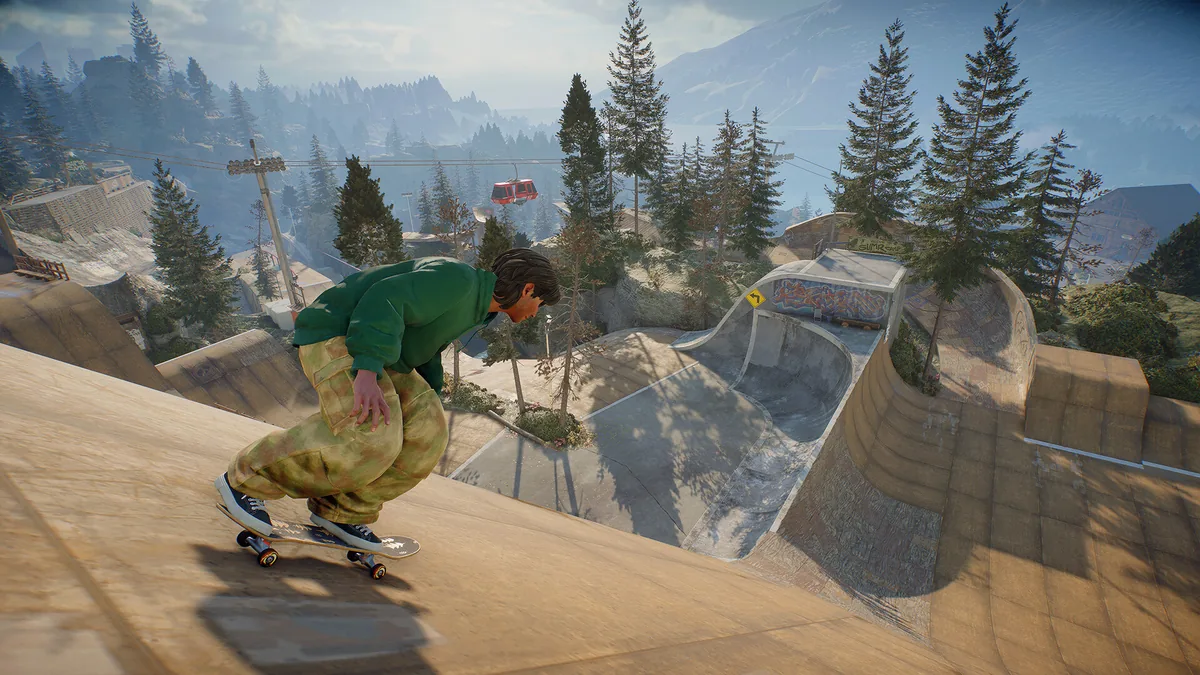
Official skate. screenshot via Steam. ReSkate is a separate launcher layered on the Steam build.
Why a skate. update breaks ReSkate
ReSkate is an open-source mod platform for skate., not a fork of the game. It loads the game you own and adds mod support, plugins and custom maps on top. That design depends on the game's internal layout staying stable, and a skate. patch can move exactly the pieces ReSkate expects.
The project handles this by pinning a build. The ReSkate and Steam page explains the ownership requirement and the pin in more detail; the practical consequence is that "skate. updated" and "ReSkate updated" are two different events, and only one of them is in your control.
| Situation | What you see | What to do |
|---|---|---|
| skate. updated, ReSkate did not | Launcher error, failed injection, or mods missing | Wait for a ReSkate release that names the new build |
| ReSkate updated, skate. did not | Normal update prompt | Update ReSkate |
| Both updated | Usually fine | Check the release notes for a protocol or build note |
| Neither updated, mods broken | Mod-level error | Disable mods and bisect |
Step 1: confirm which build you are on
Before changing anything, find the skate. build number. On Steam, open the game's properties, go to the installed files tab, and check the build ID shown there; the Steam client also exposes it in the game's update history. Write it down.
Then compare it with the build named in the latest ReSkate release notes on GitHub. If the numbers differ, you have found the problem and you do not need to troubleshoot further.
Most "ReSkate broke after the update" reports resolve at this step. If your skate. build is newer than the one ReSkate documents, nothing else you do will make the old ReSkate build compatible.
Step 2: check the ReSkate release notes
Open the releases page and read the newest entry, not the pinned download. ReSkate ships often: 2.1.1 on 18 October, 2.1.2 on 24 October and 2.1.3 on 28 October 2026. A release that supports the new skate. build usually says so in the first paragraph.
If the newest release does not mention your build, the correct action is to wait. Do not force the launcher, and do not start deleting game files to make it fit.
Step 3: do not reinstall skate. yet
A clean reinstall of a 30-plus GB game is the most common wrong turn here. It does not change the build number, it does not make ReSkate compatible, and it costs an hour. The same goes for verifying files: verification restores the current Steam build, which is the build that is already failing.
Reinstalling ReSkate is more reasonable, but only after you have read the error. The ReSkate errors page maps the common messages to causes; a SHA-256 mismatch, for example, usually means antivirus removed a file rather than a bad download.
Step 4: protect your mods before you repair
If you do end up reinstalling or resetting, back up two things first: your mods folder and mods.json. The JSON file controls load order, and rebuilding it by hand is the most tedious part of a reset.
ReSkate 2.1.3 added launcher mod profiles that keep your own mods when you load a pack, which makes this less painful than it used to be, but a manual copy is still the reliable backup.
Step 5: update in the right order
When a compatible ReSkate release lands, update ReSkate first, then launch the game through the ReSkate launcher rather than through Steam. Launching skate. directly bypasses the mod layer, which is fine for verifying that the base game runs and useless for testing ReSkate.
If the base game runs but ReSkate does not, the problem is on the ReSkate side. If neither runs, the problem is the game install or Steam.
What about downgrading skate.?
Nothing official supports it. ReSkate documents a target build; it does not publish a downgrade procedure, and Steam does not offer one through the normal interface. Anyone walking you through depot downloads is describing an unsupported workaround, and it can leave you with a build ReSkate does not actually test.
The supported path is to wait for the ReSkate release. That is unsatisfying for a day, and it is the only path the project stands behind.
FAQ
Why did ReSkate stop working after a skate. update?
ReSkate targets a specific skate. build. When Steam updates the game first, the mod layer can fail until ReSkate ships a release that matches the new build.
Which skate. build does ReSkate support?
The project currently documents build 25414733. Check the newest release notes before you troubleshoot, because the target changes with each ReSkate release.
Should I reinstall skate. to fix it?
No, not first. A reinstall restores the same current Steam build, so it does not solve a build mismatch. Confirm the build number and read the ReSkate release notes instead.
Can I downgrade skate. on Steam?
There is no official downgrade path. ReSkate does not publish one, and depot workarounds are unsupported.
Related Guides
More ReSkate Guides
Run ReSkate on Steam Deck and Linux: Desktop Mode install, the v2.0 Steam launch option, reported 60 FPS, and what the Proton fixes changed (as of v2.0.2).
Skate 3 recomp is a native PC port of the 2010 Xbox 360 game; ReSkate is a mod platform for the new free skate. No shared code — how they differ.
ReSkate has no uninstaller. Delete its own folder, clear the leftover profile and launcher files, and restore your Steam launch options on Linux or macOS.
What is ReSkate? The unofficial open-source mod platform for EA skate. explained: offline play, self-hosted servers, and mods in one guide.
About re-skate.wiki: independent unofficial ReSkate fan site statement, sourcing and version policy, disclaimer, and contact notes.
Best ReSkate mods: Full Skate 3 Map, Skate 2 map, Skater XL ports, built-in Trainer, and top cosmetic and music picks, with versions.
How ReSkate Board Break works: break force, deck wear, nose/mid/tail snaps, repair commands and the 2.1.2 deck pack change.
Every ReSkate update from v1.0.0 to v1.1.3: per-version changes, pinned game build record, and how the launcher self-updates.