
ReSkate has no uninstaller. Delete its own folder, clear the leftover profile and launcher files, and restore your Steam launch options on Linux or macOS.
ReSkate Uninstall: How to Remove It Without Touching skate.
There is no uninstaller, and that is not an oversight. ReSkate is a portable package: ReSkateLauncher.exe, ReSkate.dll and a private copy of the game all live in one folder you chose. To uninstall it you delete that folder. What trips people up is everything that lives outside it — the offline profile, the launcher settings, and on Linux or macOS the Steam launch option that still points at a program that no longer exists.
This page walks through a full clean removal as of October 24, 2026, and explains what is safe to delete and what belongs to skate. itself. If you are still deciding whether to keep it, the install guide covers the setup side.
Official source: the ReSkate README, ReSkate releases and skate. on Steam. The project does not publish an uninstall procedure, so the steps below reverse its documented install and file locations.
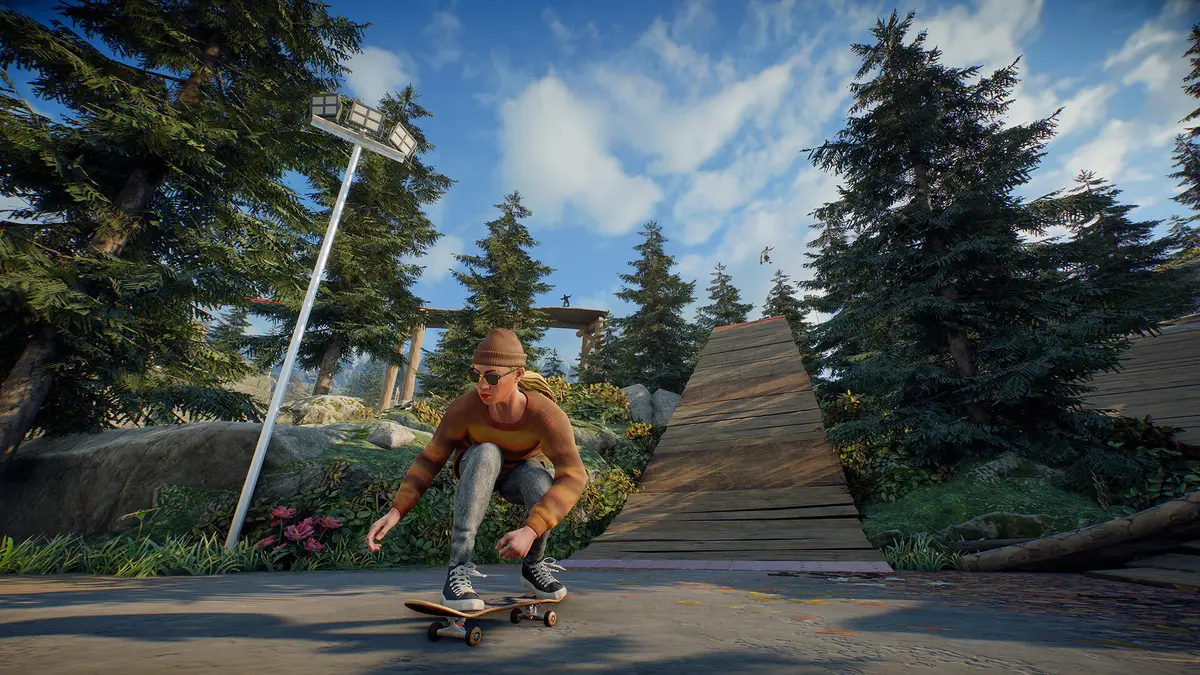
Official skate. artwork via Steam. ReSkate keeps its own copy of the game in its own folder.
What You Are Actually Removing
ReSkate does not install into Steam's skate. folder and does not patch Steam's files. The official README is explicit about the reason: the launcher keeps its own copy of the game so a Steam update cannot break it. That design is also what makes removal clean.
| Item | Location | Size | Safe to delete? |
|---|---|---|---|
| ReSkate programs and game copy | The folder you created, e.g. C:\Games\ReSkate |
About 14 GB | Yes, this is the uninstall |
| Mods | Mods\<mod name>\ inside that folder |
Varies | Yes, goes with the folder |
| Logs | logs\ReSkate.log inside that folder |
Small | Yes |
| Launcher settings | ReSkateLauncher.settings.json beside the launcher |
Tiny | Yes, goes with the folder |
| Offline profile | %LOCALAPPDATA%\ReSkate\profiles\offline\ |
Small | Optional, see below |
| Game's own settings and saves | %LOCALAPPDATA%\ReSkate\Game\ |
Small | Optional, see below |
| Steam's skate. install | Your Steam library | 25 GB per store page | No, leave it alone |
The two %LOCALAPPDATA% folders are outside the ReSkate folder, so deleting the folder leaves them behind. They hold your skater, progress and parks, plus the game's own settings. Nothing breaks if they stay, but a "clean" uninstall means removing them too.
Copy %LOCALAPPDATA%\ReSkate\profiles\offline\ somewhere before deleting it. There is no cloud sync and no account behind it; once the folder is gone, your offline skater and progress are gone with it.
Windows: Step by Step
- Close skate. if it is running, and close the ReSkate launcher.
- Open the folder you created for ReSkate — the one containing
ReSkateLauncher.exe, not Steam's skate. folder. - Delete the whole folder. This removes the launcher, the DLL, your mods, the logs and ReSkate's copy of the game.
- If you also want the profile gone, open
%LOCALAPPDATA%in File Explorer and delete theReSkatefolder there. This removes bothprofiles\offline\andGame\. - Empty the Recycle Bin. A 14 GB folder does not actually free space until you do.
- If you made a desktop shortcut, delete it. ReSkate does not register itself in Apps and Features, so there is no entry to remove there.
That is the entire Windows procedure. No registry keys are documented, no services are installed, and no scheduled tasks are created by the launcher.
Linux and Steam Deck: Remove the Launch Option
On Linux the folder is only half of the job. The Steam launch option still runs a command that points at ReSkateLauncher.exe, so skate. will fail to start until you clear it.
- In Steam, open skate. → Properties → Launch Options.
- Delete the
bash -c 'exec ...'line you added during setup. - Delete the ReSkate folder, for example
~/Games/ReSkate. - Optionally delete the ReSkate profile under your local data directory.
- Start skate. once to confirm it launches normally again.
If you followed the Linux and Steam Deck guide, the path in that launch option is the folder you are about to delete. Removing the option before deleting the folder avoids a launch failure that looks like a broken game install.
The same logic applies on macOS with NotProton or CrossOver: remove the wrapper configuration described in the project's MACOS-SETUP.md, then delete the folder. The README does not document a macOS uninstall path, so treat this as the reverse of the setup steps rather than an official procedure.
Does Uninstalling ReSkate Affect skate. Itself?
No. Steam's copy of skate. is separate and untouched. ReSkate never patched it, which is why you can uninstall ReSkate and immediately play the normal game through Steam.
Two things are worth checking anyway:
- Disk space. ReSkate's copy is about 14 GB, while the Steam store page lists 25 GB for skate. itself. If you are reclaiming space, the ReSkate folder is the one to delete.
- Anti-cheat. ReSkate works by loading into the game, and its Linux setup bypasses EA's anti-cheat launcher. Uninstalling does not change your Steam account state, but if you have concerns about the online game, read the safety and ban guide before you go back online.
Will I Lose My Mods and Settings?
Your mods live inside the ReSkate folder, so they go with it. If you use mod profiles, export or note the list first; the mod browser can reinstall them later, but the exact load order in Mods\mods.json is easier to rebuild from a screenshot than from memory.
Launcher settings such as the menu key and console key are stored in ReSkateLauncher.settings.json beside the launcher. That file is inside the folder you delete, so a reinstall starts from defaults.
FAQ
Is there an official ReSkate uninstaller?
No. The project ships a portable launcher, and the README has no uninstall section. Deleting the folder is the documented-by-design removal.
Can I uninstall ReSkate but keep my progress?
Yes, if you back up %LOCALAPPDATA%\ReSkate\profiles\offline\ before deleting the folder and restore it after a reinstall. The profile is stored locally, not on a server.
Does deleting the folder uninstall skate. from Steam?
No. Steam's installation is separate. Uninstalling skate. is done through Steam like any other game.
Why is there still a ReSkate folder in AppData?
Because the profile and the game's own settings are stored there, outside the portable folder. Delete %LOCALAPPDATA%\ReSkate to remove them.
Can I reinstall later with the same folder?
Yes. Reinstall into a new empty folder and the launcher will rebuild its copy of the game. Do not reuse a folder that still contains an old partial install if you are troubleshooting corruption.
Related Guides
More ReSkate Guides
ReSkate not launching or crashing? Use this error lookup table to fix Unknown Player, antivirus blocks, old mods and build changes fast.
What changes in ReSkate gameplay: pinned skate. physics, offline play, 32-player lobbies, throwdowns, world controls, park editor and plugin modes.
Where ReSkate official code, releases and issue tracker live, how to read each repository, and how to confirm a download is genuine before running it.
Hall of Meat is a ReSkate plugin mod now, not a console toggle. How to install it, approve permissions, enable it in a session and fix the old command.
How to play ReSkate from first launch: get online properly, learn the three keys, try lobbies, parks, Hall of Meat and the Trainer, then add your first mods.
Download ReSkate from official GitHub Releases: PC requirements, 3-step install, Steam login, and first launch into skate. (as of v1.1.3).
The ReSkate launcher explained tab by tab: self-updates, game verification, the PLAY merge, MODS page, Settings, and every common message, as of v2.0.2.
Run ReSkate on Steam Deck and Linux: Desktop Mode install, the v2.0 Steam launch option, reported 60 FPS, and what the Proton fixes changed (as of v2.0.2).