
How characters work in ReSkate: your own skater, locally saved outfits and unlocks, Unknown Player when Steam is offline, and costume mods.
ReSkate Characters: Skaters, Outfits and Cosmetics
ReSkate does not add a character roster. You play the skater you create in skate., keep that skater's outfits, unlocks and progress in a local save, and extend the look with community cosmetic mods. If Steam is not logged in, the game shows you as "Unknown Player".
That distinction matters because "characters" can mean three things: a cast of pro skaters, your created avatar, or the cosmetic wardrobe around both. ReSkate is the second and third. It is a third-party open-source mod platform for EA's skate., not a new game, and this site is an independent fan site with no affiliation to EA, Full Circle, Dingo-Shenanigans or Thunderstore.
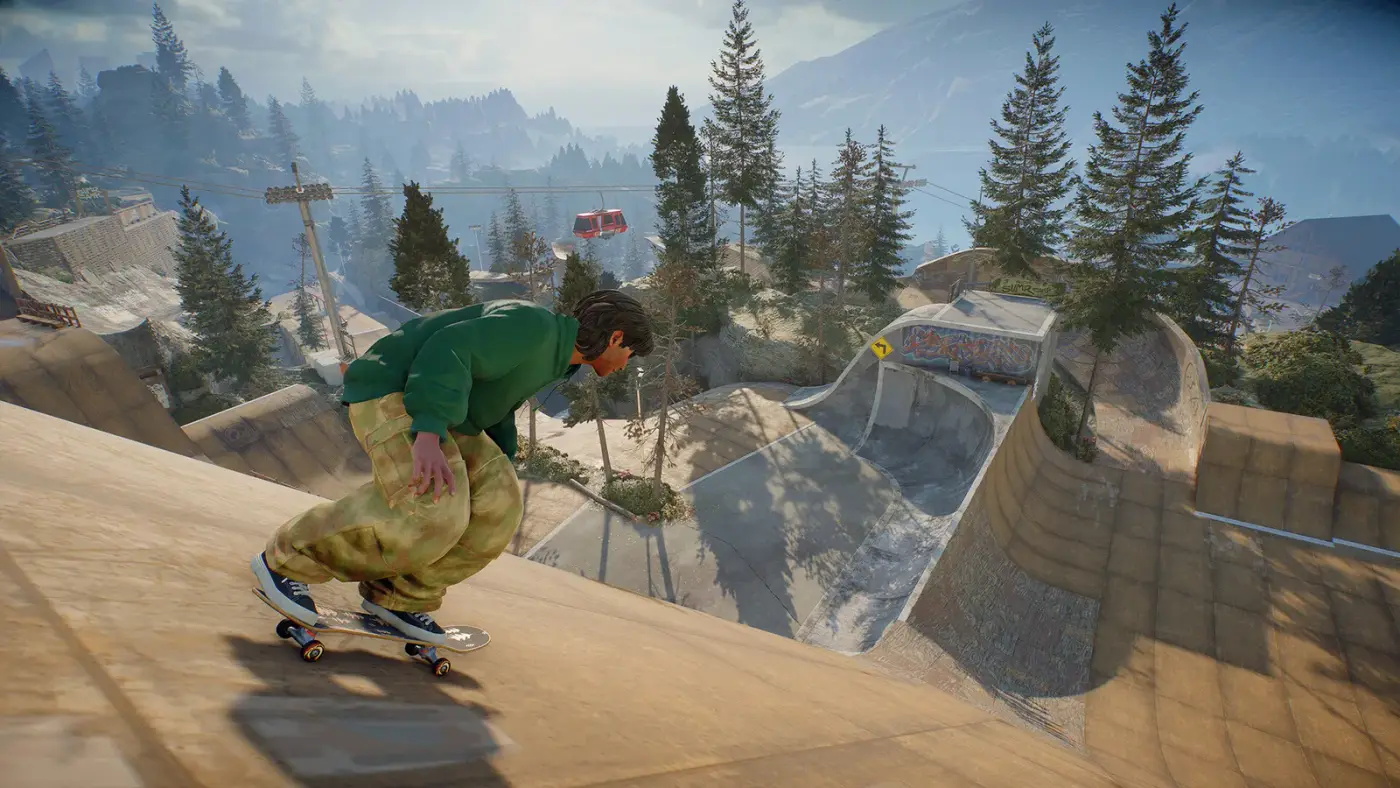
One skater, not a roster
There is no ReSkate character select screen. The platform runs a frozen copy of the Steam build (pinned at build 25414733), so the character creator, body options and clothing catalog are the ones Full Circle shipped in skate. ReSkate adds the ability to run that build offline and to load mods into it, not a new cast.
In practice that means:
- Your skater is persistent. The README states that your skater, outfits, unlocks and progress are saved on your PC.
- Offline identity is generic. Launch with Steam closed or logged out and the game shows "Unknown Player". That is the offline state, not a corrupted save. Our offline guide walks through the launch order.
- Nothing is account-locked to EA. Because the save is local, a character survives EA server outages, but it also does not sync to EA's live service.
What ReSkate does not do is import an existing online character. No official statement covers migrating a live-service skater into the local save, so treat the two as separate.
Outfits and unlocks
Cosmetics work like the rest of progression: they live in the local save. Unlock conditions are the game's own, which means the wardrobe you can build offline is limited to what the pinned build exposes without server-side events.
Mods fill the gap. The most established wardrobe mod is All Skate 3 Cosmetics almost (FAKIE), listed on Thunderstore at v0.4.7 with roughly 4,600 downloads. Its package is about 503 MB and adds 946 clothing items, 174 models and 48 full Skate 3 character costumes. It requires ReSkate 1.1.3 or newer, so it works on the current 2.1.x builds.
Two caveats before you install it:
- It is community content. The models are fan-made recreations, not EA-licensed re-releases.
- It does not unlock paid items. ReSkate does not bypass skate.'s monetisation, and the project explicitly avoids providing paid cosmetics for free. Mod clothing is separate content.
The best mods page ranks wardrobe, map and gameplay mods by usefulness, and the mod manager guide covers installing them without breaking a profile.
Mod profiles and character looks
ReSkate 2.1.3 added an in-game Mod Manager and launcher-side mod profiles. For characters, that is more useful than it sounds: you can keep one profile with a clean vanilla wardrobe and another with a full cosmetic overhaul, then switch between them without reinstalling files.
A profile stores which mods are active, so a character's look becomes a function of the profile you launch with. If a skater suddenly loses custom clothes after an update, check the active profile before assuming the save is damaged. The update guide explains what changed in 2.1.3.
How other players see your character
In ReSkate multiplayer, other players see the outfit your skater is wearing. Lobbies support up to 32 players, with proximity voice and text chat; dedicated servers can host larger crowds. That makes cosmetics social again in a way the offline mode is not.
Two limits are worth knowing:
- Cosmetic mods must match. If your outfit depends on a mod another player does not have, expect missing or default clothing on their screen. Shared mod lists avoid the problem.
- No official crossplay with EA's servers. ReSkate sessions are their own space, so your modded character does not appear in the live game.
The multiplayer guide covers lobby types, server browsing and voice.
Character-related settings worth changing
The ReSkate menu adds a few options that change how your character reads on screen:
- First person for a different view of tricks and parks.
- Movement and boosts for faster traversal, separate from the game's own difficulty.
- Noclip for photography and park inspection, not for normal play.
These are client-side options. They do not alter the skater's stats or unlock anything; they change the camera and movement sandbox around the same character.
FAQ
Why does my skater show as Unknown Player?
Steam is not logged in. That is the offline identity; your local save is still intact. Start Steam and relaunch if you want your normal name.
Can I use Skate 3 characters in ReSkate?
Yes, through cosmetic mods. The FAKIE pack adds 48 full Skate 3 costumes, but they are community recreations rather than official ports.
Do outfits carry between offline and multiplayer?
The local save is the same, so your outfit does.
Sources
- ReSkate on GitHub — local saves, pinned build, feature list
- ReSkate on Thunderstore — cosmetic mod listings and requirements
- ReSkate documentation — plugins and configuration
- skate. on Steam — base game
More ReSkate Guides
What changes in ReSkate gameplay: pinned skate. physics, offline play, 32-player lobbies, throwdowns, world controls, park editor and plugin modes.
Where ReSkate official code, releases and issue tracker live, how to read each repository, and how to confirm a download is genuine before running it.
Hall of Meat is a ReSkate plugin mod now, not a console toggle. How to install it, approve permissions, enable it in a session and fix the old command.
How to play ReSkate from first launch: get online properly, learn the three keys, try lobbies, parks, Hall of Meat and the Trainer, then add your first mods.
Download ReSkate from official GitHub Releases: PC requirements, 3-step install, Steam login, and first launch into skate. (as of v1.1.3).
The ReSkate launcher explained tab by tab: self-updates, game verification, the PLAY merge, MODS page, Settings, and every common message, as of v2.0.2.
Run ReSkate on Steam Deck and Linux: Desktop Mode install, the v2.0 Steam launch option, reported 60 FPS, and what the Proton fixes changed (as of v2.0.2).
ReSkate on Mac: no supported path today — what does and does not work, plus the two ways Mac users actually play skate games in 2026.