
What changes in ReSkate gameplay: pinned skate. physics, offline play, 32-player lobbies, throwdowns, world controls, park editor and plugin modes.
ReSkate Gameplay: What Changes and What Does Not
ReSkate does not rewrite skate.'s skating. The launcher pins one supported game build, currently 20260929, so Flick-It controls, physics and trick timing are the game you already know. What changes is where you skate, who you skate with and how much control you have over the world around you.
That is the honest framing. ReSkate is an open-source mod platform, not a sequel or a total conversion. Its feature list is about access and sandbox control: offline play, self-hosted multiplayer, custom parks, world settings and plugin modes. The rest of this page is what each of those actually feels like in a session, as of build 20261116.
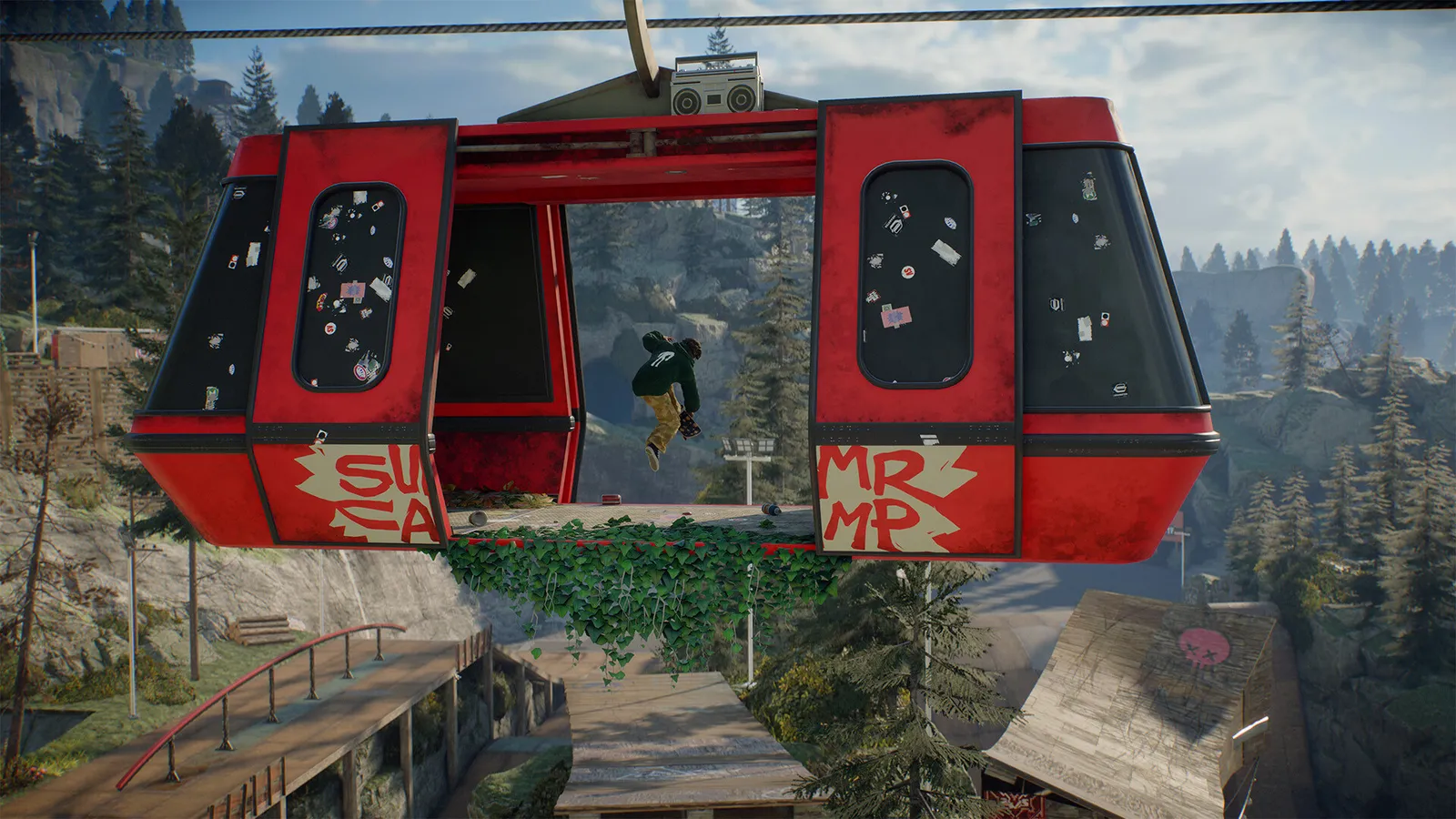
The trick system is the base game's. Everything described below sits around it.
The core skating is unchanged
One pinned build means a fixed feel. There are no new physics, no rebalanced grind friction, no second trick system. Flick-It remains the scheme: flick the stick to set up a trick, then modify it with triggers and shoulders.
The pin also explains a common confusion. When skate. patches, ReSkate does not silently follow, so the only way your tricks feel different is if the launcher downloaded a different supported build with an update. That is deliberate, and it is why a client and server must match tags before they can play together.
What the ReSkate menu adds
The in-game menu opens with Insert, and the console with ~. Most of what follows lives in that menu.
| Menu area | What it controls |
|---|---|
| Map | Fast travel, map selection and rotating parks |
| World | Time of day, population, district levels |
| Park Editor | Free camera, object placement, saving and loading parks |
| Skater | First person, movement tuning, boosts, noclip |
| Progression | Challenge and unlock settings |
| Controls, Graphics, Multiplayer | Settings that mirror the launcher and the base game |
| Plugins | Plugin Manager and permissions |
Mods can extend this menu, which is why screenshots of the ReSkate menu rarely match each other exactly.
Offline free skate
Offline is the headline feature. Launch with Steam closed or logged out and you skate as Unknown Player with no EA connection. The city, the base game's challenges, your saved skater, outfits and unlocks all work.
What disappears is everything social: no lobbies, no server browser, no proximity voice, no chat with other people. Progression stays local, in %LOCALAPPDATA%\ReSkate\Game\, so an EA outage cannot touch it and a reinstall cannot recover it without a backup. The offline guide covers the launch order and the identity state.
Multiplayer: lobbies, servers and throwdowns
Multiplayer is self-hosted. There are two routes:
- Steam lobbies. Up to 32 players, public, invite-code or password-protected. Fastest way to skate with friends.
- Dedicated servers. Run
ReSkateServer.exeyourself or join from the in-game browser. Community servers advertise much larger populations than a lobby can hold.
Inside a session you get proximity voice, text chat with emotes and a bad-word filter, and parties you can invite, join, leave or promote. Three throwdown formats ship: Jam, Spot Battle and S.K.A.T.E., plus co-op challenges, and plugins can add more. The throwdowns guide covers how a drop starts and how S.K.A.T.E. letters work.
Large map downloads have timers worth knowing before you join a modded server:
| Step | Window |
|---|---|
| Confirm the download | 2 minutes |
| Session waits for you | 30 minutes total |
| Ordinary map load | 180 seconds |
| Load after a live install | 30 seconds |
| Big download in the background | Up to 4 hours, then install and apply |
Decline or cancel and the partial file is removed, so a half-download cannot rot in your Mods folder.
World controls
The World section exposes settings the base game does not:
- Time of day, for night lines or better photo light.
- Population, to thin out or fill the city.
- District levels, which change how built-up an area feels.
- Rotating parks, which swap the temporary layouts in San Vansterdam's three slots.
None of these touch physics, and only the park setting affects what other players see, because the host's selection is shared with the session. The parks guide has the randomizer commands and the file format.
Park Editor
The Park Editor is the biggest addition to play. It gives you a free camera, snapping that follows the terrain, undo, and the ability to save a selection as a reusable set. You can build in single-player and load the result in a session, where only the host can load a park.
Finished parks save as park mod folders and can be shared like any mod. Whole new levels are a separate format with their own loading screens; that is the map mods side. For the build workflow, start with the Park Editor guide.
Skater options and plugin modes
Skater options include first person, movement tuning, boosts and noclip. They are sandbox tools for filming and inspection, not competitive settings, and a server can run its own physics settings that override what you expect.
Since the 2.1 migration, several features that used to be built into the program ship as plugin mods:
| Feature | Status now |
|---|---|
| Hall of Meat | Plugin mod, off unless installed |
| Board Break | Plugin, ships with its deck pack |
| Road Rash | Plugin, bundled with its asset mod |
| FPV drone | Plugin |
| Grind exit triggers | Plugin |
| Throwdown modes | Core three, plus plugin formats |
Plugins run in a sandboxed Luau environment and ask for permissions the first time they start. Only Thunderstore plugin packages may execute code, and a plugin that arrived because a server required it stays tied to that server. The plugins guide explains the prompts, the panic key and how to switch everything off.
Session flow and performance
A typical session: launch the launcher, press PLAY, Insert for the menu, ~ for the console, T for chat. Most mod changes apply without a restart, though a map change reloads the level.
Performance depends on the base game and your settings, not on ReSkate. The platform adds mod loading time at startup, which the November builds cut substantially: with 140 mods, a first start after an update went from about 100 seconds to under 30. If you are chasing frame rate, the performance guide covers the settings that matter.
What ReSkate gameplay is not
- Not a campaign. There is no ReSkate story mode; the story mode page explains what progression does exist.
- Not a physics mod. The pinned build keeps the game's feel intact, for better and worse.
- Not a graphics overhaul. Presets exist, but the renderer is the game's.
A mismatched client cannot join a server, and a mismatched map mod drops you back to the menu. Update the client and the server in the same window.
Official source: ReSkate on GitHub — feature list and pinned build; ReSkate documentation — plugin permissions and world settings; skate. on Steam — the base game.
FAQ
Does ReSkate change how skateboarding feels?
No. It runs a pinned game build, so physics and Flick-It controls are unchanged. Only a different supported build would change the feel.
Can I play ReSkate with friends?
Yes. Host a Steam lobby for up to 32 players or join a dedicated server from the in-game browser. Both ends need the same ReSkate tag.
Is there a single-player campaign?
No ReSkate campaign exists. Offline mode preserves the base game's challenges and local progression, not a scripted story.
Why are Hall of Meat and Board Break missing from my menu?
They are plugin mods since the 2.1 migration. Install the plugin package and approve its permissions, then they appear.
Related Guides
More ReSkate Guides
ReSkate not launching or crashing? Use this error lookup table to fix Unknown Player, antivirus blocks, old mods and build changes fast.
Where ReSkate official code, releases and issue tracker live, how to read each repository, and how to confirm a download is genuine before running it.
Hall of Meat is a ReSkate plugin mod now, not a console toggle. How to install it, approve permissions, enable it in a session and fix the old command.
How to play ReSkate from first launch: get online properly, learn the three keys, try lobbies, parks, Hall of Meat and the Trainer, then add your first mods.
Download ReSkate from official GitHub Releases: PC requirements, 3-step install, Steam login, and first launch into skate. (as of v1.1.3).
The ReSkate launcher explained tab by tab: self-updates, game verification, the PLAY merge, MODS page, Settings, and every common message, as of v2.0.2.
Run ReSkate on Steam Deck and Linux: Desktop Mode install, the v2.0 Steam launch option, reported 60 FPS, and what the Proton fixes changed (as of v2.0.2).
ReSkate on Mac: no supported path today — what does and does not work, plus the two ways Mac users actually play skate games in 2026.