
ReSkate 2.1.2 adds sandboxed Lua plugins, a PLUGINS settings page, and moves Drone, Board Break, Road Rash, Hall of Meat and grind exits into mods.
ReSkate Plugins: The 2.1.2 Plugin Beta Explained
ReSkate v2.1.2, published as a pre-release on October 22, 2026, is the first build where a mod can run code. A mod can now ship a Lua plugin that adds game modes, HUD elements, menu pages and console commands without the ReSkate team patching the core program. The same update also takes five features that used to be built in — the drone, Board Break, Road Rash, Hall of Meat and grind exits — and turns them into plugin mods you install and update like anything else. For the break thresholds, wear stages and console commands, see the ReSkate Board Break guide.
That is the short version. Below is what the beta actually adds, what the sandbox blocks, and what changes for anyone with an existing mod setup.
Official source: ReSkate 2.1.2 release notes, the ReSkate README and the ReSkate Thunderstore community.
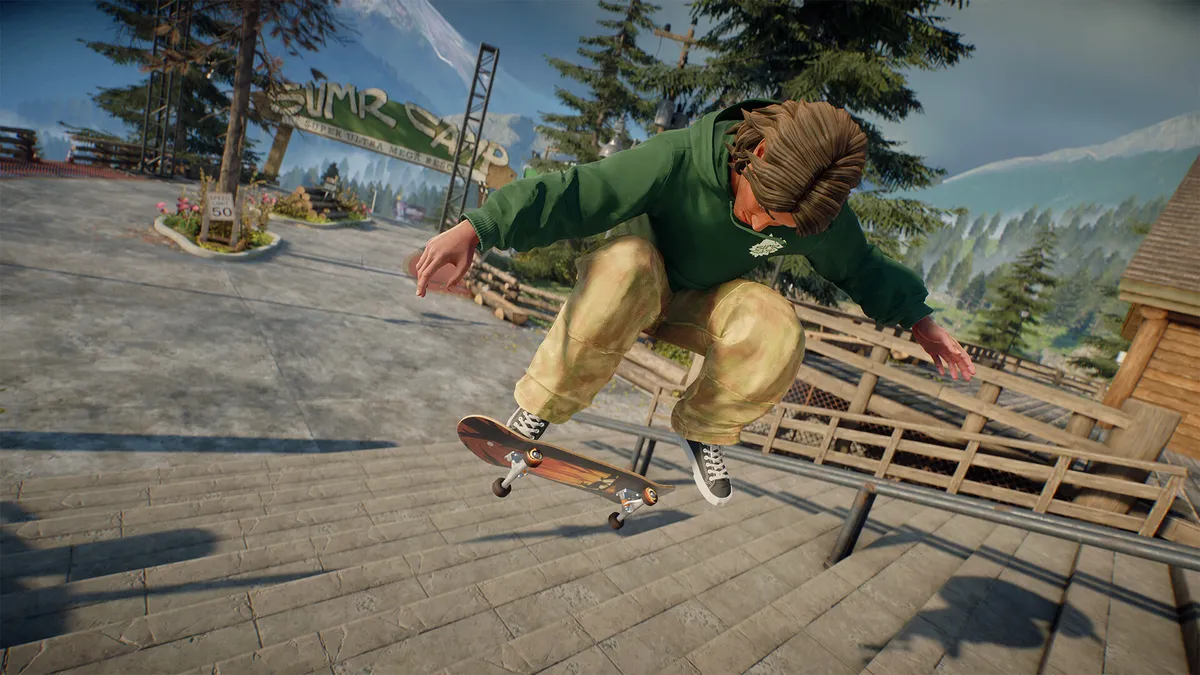
Official skate. artwork via Steam. Plugins run inside ReSkate's sandbox, not as separate programs.
What a Plugin Can Do
A plugin is code that ships inside a mod and runs inside ReSkate. The official release notes list the surface it can touch:
- Game modes, including custom Throwdown modes that appear on the Throwdowns page.
- HUD elements drawn by the mod rather than the base game.
- Menu pages, so a mod can have its own settings screen.
- Console commands, added to the ReSkate console.
Plugins that expose settings get their own page under PLUGINS in the ReSkate menu. You still open that menu with Insert by default, and the key can be changed in the launcher's settings. A plugin reloads by itself when you save its files and return to the game window, which makes testing a change a matter of seconds rather than a full restart.
v2.1.2 is marked pre-release on GitHub. The plugin API, the PLUGINS page and the way plugins are packaged can all change before it reaches a stable build.
What the Sandbox Blocks
The security model is the interesting part, because ReSkate loads into the game process and plugins are third-party code. According to the release notes, each plugin runs in its own sandbox and cannot:
| Blocked | Why it matters |
|---|---|
| Read your files | A mod cannot exfiltrate documents, saves or browser data |
| Touch other programs | It cannot launch, inject into or close anything outside the game |
| Change cosmetics | Your outfits and appearance stay yours |
| Change unlocks | A plugin cannot grant items you have not earned |
| Change progression | Levels and progress are off limits |
A plugin only receives the abilities its mod explicitly asks for. That is a much narrower promise than "safe", so treat unknown plugins the way you treat unknown mods: install from the in-launcher browser, read the mod page, and remove anything that misbehaves.
Features That Became Plugins
The biggest practical change is that five features left the core program. If you used them before, they do not disappear — they become mods, and you may need to install them again.
| Feature | Where it comes from now |
|---|---|
| Drone | Get it from GET MODS |
| Board Break | Ships with its deck pack |
| Road Rash | Ships with its item pack |
| Hall of Meat | Get it from GET MODS |
| Grind exits | Get it from GET MODS |
Because each one is now a separate mod, you can switch it off individually and it updates on the mod schedule instead of waiting for a ReSkate release. The trade-off is that a fresh install no longer includes them by default.
v2.1.2 removes the OFFICIAL tab. Those official packs are now ordinary mods listed in GET MODS and MY MODS, and UPDATE ALL updates them with everything else. Copies you already installed stay installed, so you do not lose anything by updating — you just manage them in a different place.
Custom Throwdown Modes
Throwdowns already covered Jam, Spot Battle and S.K.A.T.E. With plugins, a mod can add its own mode to the Throwdowns page, and it reuses the game's own setup page, start flag, waiting card and HUD. Other players who have the same mod see your mode's flag and join with the game's normal Join action. Players without the mod simply do not see it, which keeps public lobbies from breaking.
v2.1.2 also ships a new Throwdowns page designed as a logo grid by Smokey, so the mode list is easier to scan than the old layout.
Should You Update to 2.1.2?
Update if you want the plugin system, custom Throwdown modes, or you are a mod author who wants to ship code with a mod. Stay on v2.1.1, the current stable release, if you want the setup you already have to keep working without beta surprises.
Either way, the update itself is handled by the launcher: it checks for a newer release at startup, updates ReSkate first, then verifies the supported skate. build (25414733). If the update fails with a SHA-256 error, your antivirus removed the new file — see the update troubleshooting guide.
Installing and Managing Plugins
Plugins arrive inside mods, so the install path is the mod path: browse GET MODS in the launcher, install the mod, and let it merge at launch. There is no separate plugin marketplace and no manual Lua drop-in step documented by the project.
- Keep mods updated through the launcher rather than swapping folders by hand.
- Check that a mod's page mentions plugin support before expecting a PLUGINS page.
- If a plugin misbehaves, disable the parent mod; there is no separate plugin toggle documented.
- Read the mod install guide for the folder layout and load order.
FAQ
Do I need to install plugins separately?
No. A plugin ships inside a mod. Installing the mod is what installs the plugin.
Where are plugin settings?
Under PLUGINS in the ReSkate menu, which opens with Insert by default. Only plugins that expose settings get a page there.
Can a plugin unlock cosmetics or progress?
No. The sandbox blocks cosmetics, unlocks and progression, and plugins only get the abilities their mod requests.
Did the drone and Hall of Meat get removed?
They moved out of the core program. Install their mods from GET MODS to get them back.
Is v2.1.2 stable?
No. It is published as a pre-release. v2.1.1 is the newest stable build as of October 24, 2026.
Related Guides
More ReSkate Guides
ReSkate keys and console commands cheat sheet: Insert menu, T chat, ~ console help; key changes follow the version stamp.
ReSkate not launching or crashing? Use this error lookup table to fix Unknown Player, antivirus blocks, old mods and build changes fast.
Where ReSkate official code, releases and issue tracker live, how to read each repository, and how to confirm a download is genuine before running it.
Hall of Meat is a ReSkate plugin mod now, not a console toggle. How to install it, approve permissions, enable it in a session and fix the old command.
How to play ReSkate from first launch: get online properly, learn the three keys, try lobbies, parks, Hall of Meat and the Trainer, then add your first mods.
Download ReSkate from official GitHub Releases: PC requirements, 3-step install, Steam login, and first launch into skate. (as of v1.1.3).
The ReSkate launcher explained tab by tab: self-updates, game verification, the PLAY merge, MODS page, Settings, and every common message, as of v2.0.2.
Run ReSkate on Steam Deck and Linux: Desktop Mode install, the v2.0 Steam launch option, reported 60 FPS, and what the Proton fixes changed (as of v2.0.2).