
Which controllers work with skate 4, what to check when one is not detected, keeps disconnecting or feels delayed, and the settings and fixes players use.
Skate 4 Controller Guide: Support and Connection Fixes
skate. — the free-to-play game everyone still calls Skate 4 — does not support keyboard and mouse on PC. EA's requirements page says you need a controller, and names the working ones: PS4 DualShock, PS5 DualSense, Xbox One and Xbox Series X|S pads, plus the DualSense Edge and Xbox Elite V1/V2. When a pad is not detected, keeps dropping, or feels sluggish, the fixes that work are a wired connection, the right Steam Input setting, and a few in-game tweaks.
This is an independent unofficial fan wiki with no affiliation to EA, Full Circle, Dingo-Shenanigans, or Thunderstore. EA and Steam pages below were checked October 14, 2026; ReSkate facts are as of v2.0.2 (2026-10-09).
Which Controllers Work with skate.
The official list comes from EA's Early Access PC requirements article, published September 12, 2025 — two days before PC launch — and it has not been replaced by a longer one:
Official source: skate. Early Access PC Specs & Requirements — "You will need a controller to play skate. on PC, such as PS4 DualShock, PS5 DualSense, Xbox One or Xbox Series X|S controller. The DualSense Edge and Xbox Elite V1/V2 are also compatible."
The Steam store page says the same thing in one line: "This game requires a controller in order to play. Playing with a keyboard and mouse isn't supported."
| Controller | Status | Connection notes |
|---|---|---|
| Xbox One / Xbox Series X|S pad | Officially listed by EA | Works wired or wirelessly through the normal Windows path |
| Xbox Elite V1 / V2 | Officially listed by EA | Same as any Xbox pad |
| PS5 DualSense | Officially listed by EA | Haptics work wired only; over Bluetooth the pad falls back to regular rumble |
| PS4 DualShock 4 | Officially listed by EA | Bluetooth is not supported — plan on a USB cable |
| PS5 DualSense Edge | Officially listed by EA | Same caveats as the standard DualSense |
| Switch Pro Controller or generic pads | Not on EA's list | Some players get them running through Steam Input layouts, but that is a workaround, not support |
The DualSense haptic and DualShock 4 Bluetooth rows come from the community-maintained PCGamingWiki entry for Skate, which tracks connection modes per pad — worth a read if your specific model misbehaves.
One platform note so nobody wastes an evening: the PC release runs on the EA App, Steam, and the Epic Games Store, but EA does not support skate. on macOS, Linux, or the Steam Deck (platform details). The mod route that does run on the Deck is covered at the end of this page.
Controller Not Detected: Checks in This Order
When the game acts like no pad exists, run the list top to bottom. The first three fix most reports:
- Go wired first. A USB cable removes Bluetooth pairing, battery, and interference problems from the equation in one move. Use a cable that carries data — charge-only cables produce the classic "connected but nothing happens" state.
- Enable the pad in Steam Input. Open Steam Settings, then Controller, and turn on support for your controller family (for example, PlayStation configuration support). This is the fix players with Sony pads report working when the game never sees the controller — including on laptops where the pad works everywhere else (r/Skate4 thread).
- Confirm Windows sees the pad before launching. If the operating system does not list the controller, the game never will. Re-pair Bluetooth pads or try another USB port at this stage.
- Close other remappers and input tools. Anything that intercepts controller input can fight both the game and its anti-cheat.
- Restart the game after connecting. Plug the pad in, then launch — do not rely on plugging in mid-session the first time you troubleshoot.
PCGamingWiki warns that remappers such as reWASD may be blocked by anti-cheat on this game. The live PC version runs EA's Javelin anti-cheat, and remapping software is exactly the kind of tool it watches for. Rebind inside the game or through Steam Input instead, and close remappers before launching. If the game itself fails to start, that is a different problem — see the launch errors page.
A separate symptom shows up in player reports: the pad works, but prompts show keyboard keys, or one stick direction opens the social menu (r/Skate4 thread). That is almost always Steam Input applying a second mapping on top of the game's own — open the game's Steam Input page and set it back to the default gamepad layout.
Disconnects and Dropouts: Wired Beats Wireless
Random dropouts on PC usually trace back to the wireless layer, not the game:
- DualShock 4 owners: Bluetooth is not a supported mode on this game. PCGamingWiki records Bluetooth as unsupported for the DS4 — if yours pairs to Windows but cuts out in skate., that matches the documented behavior. A USB cable is the supported path.
- DualSense owners: wireless works, but you lose haptics. The advanced haptics are wired-only; over Bluetooth the pad falls back to ordinary rumble. If the game "feels wrong" wireless, this is part of it.
- Battery level matters on every wireless pad. A dying battery degrades the radio first — dropouts before the low-battery warning is normal. Fresh cells or a cable settle it.
- 2.4 GHz congestion is real. Wireless keyboards, dongles, and Wi-Fi all share space with Bluetooth pads. Moving to USB is the clean test; if dropouts stop wired, the pad and the game are fine.
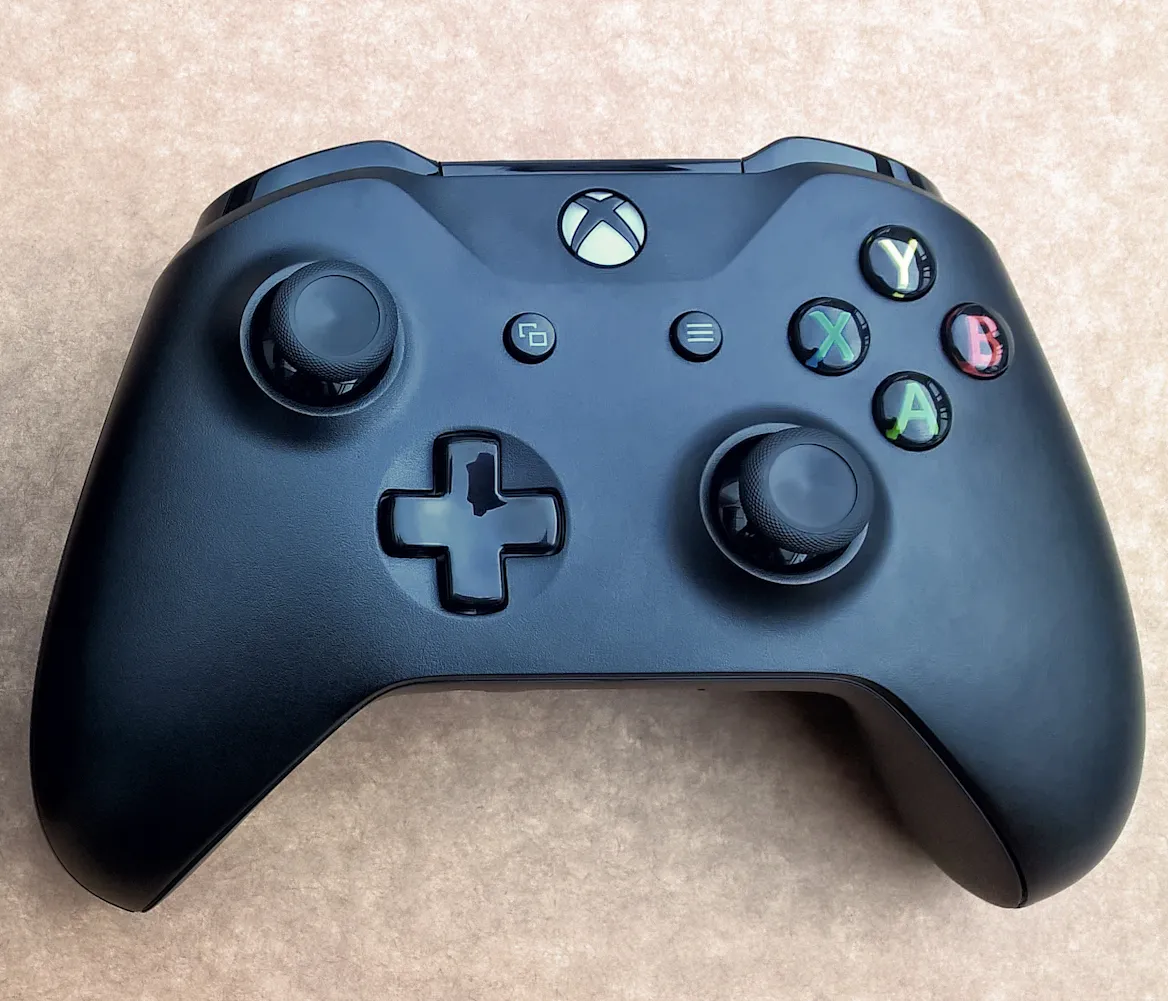
An Xbox pad on a carpet — wired or wireless, this is the layout most PC players start from.
If a dropout survives a wired session, look at the cable and the USB port — then, and only then, at the game. One test separates the two worlds in five minutes.
When the Pad Feels Delayed or Sluggish
"Delayed" complaints split into two different problems, and the fix depends on which one you have:
Frame lag masquerading as input lag. When the game is dropping frames, every input feels late. EA's own troubleshooting for lag is graphics quality: lower Global Graphics Quality, and take Lighting Quality, Shadow Quality, and Ambient Occlusion to Low (EA settings guide). If the sluggishness disappears when frames come back, the controller was never the problem.
Actual controller latency. Wired USB beats Bluetooth on latency on every pad, and it removes battery sag from the picture. That single change is the most common community fix for "the game feels off" reports.
Then tune what the game exposes:
- Flick-It Sensitivity lives under Gameplay > Controls, and EA's own guide recommends testing it — flick tricks read directly off stick motion, so this slider changes how sharp inputs feel more than anything else in the menu.
- There is no deadzone setting. As of this writing, EA's settings guide documents no deadzone slider, and players have been asking for one publicly since launch (r/SkateEA thread). Stick drift has to be handled in hardware — controller firmware, manufacturer software, or a replacement.
- Assists change the feel too. High assist settings make landings easier and the ride more forgiving; low or off is more realistic but exposes every sloppy input. Allowed Fall Height and Friendlier Wipeout Thresholds are the two EA names explicitly.
Controller Settings Worth Changing
EA's settings guide is short and specific about the controller options. Three presets anchor everything:
| Preset | What it does |
|---|---|
| Streamlined | Simplifies the inputs for tricks, stopping, and pushing — EA's recommendation for beginners |
| Classic | Inputs similar to previous Skate games — the right starting point if the older games are in your hands |
| Experienced | Most control and most realistic feel; assisted gameplay settings are automatically lowered |
Pick the preset first, then edit per-setting under Gameplay > Controls. The settings EA explicitly calls out for tuning are Flick-It Sensitivity and the individual inputs for pushing, pumping, jumping, and ollieing — if a specific input feels wrong, that menu is where it gets rebound.
Official source: How to customize your skate. settings — "There are three controller presets you can choose from: Streamlined, Classic, or Experienced... Go to Gameplay > Controls to make changes."
Two more menus from the same guide are worth ten minutes each:
- Trick Toggles turns individual trick families on or off — flips, slappies, firecrackers, wallies, no comply, spins, roll-ins — so a trick that keeps firing by accident can be switched off entirely.
- Skatepedia, inside the in-game menu, lists every trick with its actual inputs by category — the fastest way to answer "what did I press?" without leaving the game.
Start on Classic, then decide. Streamlined hides inputs you probably already have in muscle memory; Experienced strips assists before you have felt the physics. Classic lands in between and matches the older games' feel.
Controllers Under ReSkate
ReSkate — the open-source mod platform that runs your own Steam copy of skate. offline, with mods and your own servers — does not replace the game's input layer. Pad behavior comes from the pinned game build itself (build 25414733, unchanged from v1.0.0 through v2.0.2), so everything above about supported pads, wired connections, and presets applies to ReSkate sessions too. ReSkate adds exactly three keyboard keys on top of the game's own controls: Insert for the ReSkate menu, ~ for the command console, and T for multiplayer chat — both menu and console keys are remappable in the launcher's Settings (full key cheatsheet).
Three pad facts specific to the mod platform, all as of v2.0.2 (2026-10-09):
- The launcher takes controller input since v2.0.0. The October 9 milestone made ReSkateLauncher usable from a pad, with the Steam Deck trackpad acting as a mouse — mod management without a keyboard (launcher guide).
- The Trainer has a confirmed pad shortcut: LB + RB plus the d-pad — up saves a practice marker, down teleports to it, left and right switch slots. All Trainer HUD and shortcut features are off by default (Trainer guide).
- On Steam Deck, pads work through Proton. The official game does not run on the Deck at all, but ReSkate's pinned build runs under Proton, where controllers present as standard gamepads — and the Deck's own controls are a built-in pad, so the Bluetooth caveats from earlier sections simply do not apply (Deck and Linux guide).
Official source: Dingo-Shenanigans/ReSkate on GitHub — the README's Controls table (Insert / ~ / T) and launcher Settings are the source for everything in this section; the project is a fan project not affiliated with or endorsed by EA or Full Circle.
FAQ
Why does my controller show keyboard prompts in skate.? Almost always a Steam Input double-mapping: the game gets your pad input and a second keyboard-emulated layer on top. Open the game's Steam Input page in Steam and set the default gamepad layout, then restart. Player reports of this exact symptom are in the r/Skate4 controller issues thread.
Can I play skate. on PC with keyboard and mouse? No — not during Early Access, per EA's own settings guide: "mouse and keyboard aren't supported during Skate's early access. You need a controller to play." Menus can respond to keyboard input, but the skating itself expects a pad.
Will my controller settings carry over to ReSkate? The settings are in-game and the same, but ReSkate runs its own local profile store separate from the live game, so a fresh ReSkate install starts from defaults. Redo your preset and Flick-It tuning once under Gameplay > Controls and it sticks.
Related Guides
- ReSkate controls and console commands — the three keys ReSkate adds on top of the game, and the command console behind
help - ReSkate on Steam Deck and Linux — the Proton route where the official game never goes, and its known controller-adjacent quirks
- ReSkate launcher guide — pad-driven launcher navigation and the settings that live there
- ReSkate platform status: PC, Deck, consoles — what runs where, and why consoles are out of scope for the mod platform
- ReSkate Trainer guide — the physics tuner whose pad shortcut is LB + RB + d-pad
More ReSkate Guides
Where skate 4 skins come from: what free skin mods change, how modded decks and outfits are tagged, and the rule that keeps paid store items out of them.
Skate 4 vs Skate 3 for PC players: what carried over, what the new game left out, and the mods that bring Skate 3 maps, realism and Hall of Meat back.
Why Skate 4? EA naming, skate. vs ReSkate explained: one page clears up every naming confusion.
About re-skate.wiki: independent unofficial ReSkate fan site statement, sourcing and version policy, disclaimer, and contact notes.
skate. Proximity Chat is live as an opt-in soft launch from November 9, 2026. How to enable it, where it works, and what EA has not said yet.
The Skate 2 map for ReSkate is a 992 MB port of New San Vanelona. Install steps, download counts, load order and the collision problems still on the list.
The Skate 3 browser game that went viral in October 2026 explained: what it runs, where its data comes from, and the two safe ways to play in a tab.
Play the full Skate 3 map in ReSkate: download and install steps, VRAM performance notes, plus skate 2 and Skater XL map status.