
Does an Xbox controller work with ReSkate? Yes, through skate.'s XInput layer. How to connect it, why the launcher needs a mouse, and detection fixes.
ReSkate Xbox Controller: Setup, Detection and Fixes
Official source: ReSkate repository and skate. on Steam
An Xbox controller works with ReSkate, because ReSkate does not handle input itself. It injects into skate., and skate. reads controllers through the standard Windows XInput layer. An Xbox Series X|S pad, an Xbox One pad or a licensed third-party pad in XInput mode is the least troublesome option on PC.
What ReSkate adds is a launcher and an in-game overlay. Those are keyboard-and-mouse surfaces: the launcher is a Windows app, and the overlay opens with a key, not a button. So the honest setup is a controller for skating and a keyboard within reach for everything around it.
Version-sensitive facts are stamped as of v1.1.3, 2026-10-07. This site is an independent fan wiki, not affiliated with EA, Full Circle or Dingo-Shenanigans.
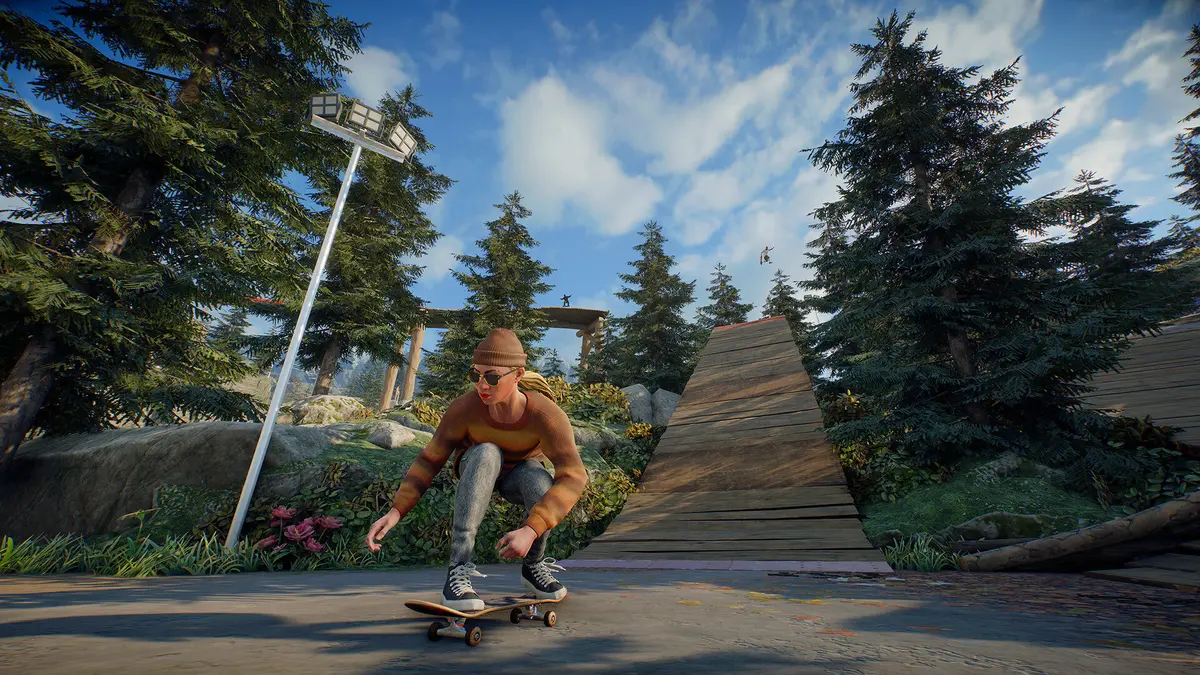
Pictured: the base game's controller-driven skating, which is what ReSkate passes through.
Insert opens the menu, Tilde the console, T the chat. No controller binding is documented for any of them.
How the input chain works
Three layers sit between your thumb and the skater:
| Layer | Handles | Controller support |
|---|---|---|
| Windows / XInput | Device driver and pairing | Native |
| skate. | Gameplay input, tricks, camera | Native controller support |
| ReSkate launcher and overlay | Install, mods, server, console | Keyboard and mouse |
That is why the controller "works but not everywhere". Gameplay is fine. The launcher is not, and no setting changes that.
Connecting an Xbox controller
- Wired: plug the pad in with a USB-C cable. Windows installs the XInput driver automatically.
- Wireless: hold the pair button on the pad until the Xbox logo flashes, then add it in Windows Settings, Bluetooth and devices.
- Verify: open Windows Settings, Devices, and confirm the pad appears as an Xbox Wireless Controller. If it appears as an unknown device, the driver did not load and the game will not see it.
- Launch skate. once without ReSkate and confirm the pad works there. If it does not, the problem is upstream of ReSkate.
That fourth step saves the most time. ReSkate cannot fix a controller that skate. itself ignores.
The overlay is keyboard-first
ReSkate's overlay uses the keyboard by design:
- Insert opens the ReSkate menu.
- Tilde opens the console.
- T opens chat in a multiplayer session.
None of those has a documented controller binding, and the official skate. controller support is handled by the base game rather than the platform. If you play on a couch, keep a wireless keyboard or a small keypad nearby, or set the overlay actions to Steam Input bindings if you launch through Steam.
When the controller is ignored
Work through these in order, because each one is cheaper than the next:
- Close Steam Input overrides. Steam's controller configuration can present a virtual pad that some games mishandle. Try the game with Steam Input disabled for skate.
- Unplug other controllers. A racing wheel or a flight stick left connected can take the first slot.
- Check the cable. Charge-only USB cables are common and carry no data.
- Restart the game after pairing. XInput devices added while the game is running are often not picked up.
- Try a different USB port. Front-panel hubs are the usual culprit.
If the pad works in skate. but not through ReSkate, that is worth reporting to the project with the version number, because the platform does not touch the input path by design.
Controller versus keyboard
The controls page covers the keyboard layout, including the overlay keys, and it is worth reading even if you play on a pad: the console and chat are keyboard-only in practice.
Keyboard has one genuine advantage in a modded setup: you can alt-tab, open the console and type without putting the pad down. Controller has the advantage that skate. was designed around analogue sticks, and tricks that need precise stick input are easier on a pad.
What about other controllers?
DualSense and DualShock pads work when Steam presents them as an Xbox pad through Steam Input, and that is the configuration most PC players use. Switch Pro controllers are the least reliable, because the button layout needs remapping.
ReSkate does not document any controller itself, so the practical rule is: if skate. recognises it, ReSkate will too.
Steam Deck and handhelds
On a Steam Deck the built-in controls present as an XInput device, so they work the same way. The overlay keys are the problem again - you need the on-screen keyboard or a Bluetooth keyboard for console commands. The Deck and Linux guide covers the Proton caveats.
FAQ
Does ReSkate support Xbox controllers? Yes, through skate.'s XInput support. ReSkate does not intercept input, so any pad the base game recognises will work.
Why does my controller not open the ReSkate menu? The overlay is keyboard-bound. Use Insert for the menu, Tilde for the console and T for chat.
Do I need Steam Input? Not for a native Xbox pad. Steam Input helps with DualSense and Switch Pro controllers, but it can also cause detection problems, so test with it off first.
Does the Xbox Elite controller work? It presents as a standard XInput pad, so it works. Paddle remapping is handled by the Xbox Accessories app, not by the game.
Is there controller support on Linux or Deck? Through Proton, yes. The same XInput path applies, and the keyboard overlay is the awkward part.
Related
More ReSkate Guides
ReSkate not launching or crashing? Use this error lookup table to fix Unknown Player, antivirus blocks, old mods and build changes fast.
What changes in ReSkate gameplay: pinned skate. physics, offline play, 32-player lobbies, throwdowns, world controls, park editor and plugin modes.
Where ReSkate official code, releases and issue tracker live, how to read each repository, and how to confirm a download is genuine before running it.
Hall of Meat is a ReSkate plugin mod now, not a console toggle. How to install it, approve permissions, enable it in a session and fix the old command.
How to play ReSkate from first launch: get online properly, learn the three keys, try lobbies, parks, Hall of Meat and the Trainer, then add your first mods.
Download ReSkate from official GitHub Releases: PC requirements, 3-step install, Steam login, and first launch into skate. (as of v1.1.3).
The ReSkate launcher explained tab by tab: self-updates, game verification, the PLAY merge, MODS page, Settings, and every common message, as of v2.0.2.
Run ReSkate on Steam Deck and Linux: Desktop Mode install, the v2.0 Steam launch option, reported 60 FPS, and what the Proton fixes changed (as of v2.0.2).